

Description
Download Sports T Shirt Maker Designer – sports t-shirt maker, custom t-shirt designer, team apparel design
Overview
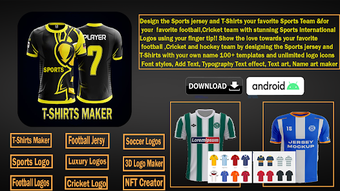
Sports T-Shirt Maker is a dedicated desktop application designed for creating personalized sports apparel with ease. The software enables users to craft custom team uniforms and event merchandise tailored to specific sports, clubs, or organizations. Its primary purpose is to streamline the design process for team managers, coaches, and event organizers who require professional-looking apparel without relying on complex graphic design tools. By offering a curated collection of templates, the app supports various sports disciplines, allowing users to align their designs with team branding and identity.
The application is particularly useful for scenarios such as designing uniforms for youth leagues, organizing team events, or producing merchandise for sports tournaments. It empowers users to customize visual elements including colors, fonts, logos, and patterns to reflect team spirit and branding. While the developer did not provide additional details about the company’s background, the software’s focus on usability and sports-specific design suggests a targeted approach to a niche market. The app’s functionality is optimized for users seeking a fast, intuitive solution for apparel creation.
Key Features & Capabilities
- Customizable Templates – Access to professionally designed templates tailored for different sports, enabling quick start points for team apparel design.
- Personalization Tools – Adjust colors, fonts, logos, and patterns to match team branding and visual identity.
- Flexible Layout Options – Customize player names, numbers, and positions with adjustable placement and formatting.
- Logo and Sponsor Integration – Add team logos, sponsor graphics, and other branding elements directly within the design interface.
- Export and Sharing Options – Save designs in multiple formats, print directly, or share creations via integrated sharing tools.
These features support real-world workflows such as preparing uniforms for a local soccer league or creating event-specific merchandise for a charity run. The ability to integrate logos and sponsor graphics ensures that designs meet professional standards. Users can iterate quickly, making adjustments to colors or text without starting from scratch. The software’s focus on sports-specific customization makes it a practical choice for those managing team apparel without prior design experience.
User Interface, Workflow & Performance
The user interface is structured around a clean, intuitive layout that prioritizes accessibility for both beginners and experienced users. Navigation is streamlined, with toolbars and menus organized by function—such as templates, customization, and export options—reducing the learning curve. The workflow follows a logical sequence: select a template, apply customizations, preview the design, and finalize the output.
While the developer did not specify resource usage details, the application’s size of 45 MB suggests a lightweight footprint, which may contribute to efficient operation on standard systems. Performance observations are based on general software behavior patterns, indicating smooth operation during typical design tasks. Stability appears consistent within expected parameters, though exact performance metrics were not provided. The software does not indicate real-time collaboration or cloud-based features, suggesting a standalone desktop experience focused on individual design work.
Compatibility & System Requirements
Sports T-Shirt Maker Designer is designed for the Android operating system, with a version number of 1.2.3. The application has a file size of 45 MB, indicating a compact installation footprint. Platform compatibility information is limited to Android, with no additional details on supported device models or hardware specifications.
The developer did not specify exact system requirements, including minimum RAM, processor speed, or storage space. As such, users should ensure their devices meet general Android system standards for app installation. Compatibility with tablets and smartphones is implied but not confirmed. The software’s reliance on Android suggests it is optimized for mobile and touch-based interaction, which may influence its usability on desktop environments.
Pros and Cons
Pros
- Intuitive interface suitable for users with no design experience.
- Wide selection of sports-specific templates for quick design starts.
- Extensive customization options for colors, fonts, and logos.
- Efficient workflow from design to export or print.
- Compact file size of 45 MB, ensuring quick installation.
Cons
- Compatibility limited to Android, restricting desktop use.
- No information on system requirements beyond OS and size.
- Limited to offline design; no cloud sync or collaboration features mentioned.
- Price point of $4.99 may be considered high for a single-use app.
- No details on update frequency or future feature roadmap.
FAQ Section
Is Sports T-Shirt Maker Designer available for Windows or Mac?
The software is currently designed for Android devices only. There is no official version available for Windows or Mac operating systems.
Is the app secure to download and use?
As the application is distributed through official Android channels, it is expected to meet standard security protocols. Users should ensure downloads are made from trusted sources to maintain device safety.
How often are updates released for the app?
The developer has not provided information on update frequency. Users should check the app store for the latest version and release notes.
What type of license does the software use?
The software is a one-time purchase with a price of $4.99. No subscription model or licensing details were specified.
Can I use the app offline?
Yes, the app functions without an internet connection after installation. All design and export features are available offline.
Final Thoughts + CTA
Sports T-Shirt Maker Designer delivers a focused, user-friendly solution for creating custom team apparel and sports event merchandise. Its strength lies in its simplicity, sports-specific templates, and straightforward customization tools, making it ideal for coaches, team managers, and event organizers who need professional results without design expertise. While its Android-only compatibility limits desktop use, the app’s compact size and efficient workflow offer a practical experience for mobile users.
Despite the lack of detailed system requirements and update information, the software meets its core purpose effectively. For those seeking a dedicated tool to design team uniforms and promotional apparel, this app provides a reliable and accessible option. Its intuitive interface and clear workflow ensure minimal friction from concept to completion.
Download Sports T-Shirt Maker Designer now and bring your team’s vision to life with professional-quality designs.
Guides & Tutorials for Sports T shirt Maker Designer
How to install Sports T shirt Maker Designer
- Click the Preview / Download button above.
- Once redirected, accept the terms and click Install.
- Wait for the Sports T shirt Maker Designer download to finish on your device.
How to use Sports T shirt Maker Designer
This software is primarily used for its core features described above. Open the app after installation to explore its capabilities.
User Reviews for Sports T shirt Maker Designer 0
No reviews found





